Home / Design & Imagery / 90s Supermodel & Nostalgic Film Couple Photo Prompt
Design & Imagery90s Supermodel & Nostalgic Film Couple Photo Prompt
Transform a standard posed photo into a candid, black-and-white 90s flash photography masterpiece with a nostalgic film aesthetic.
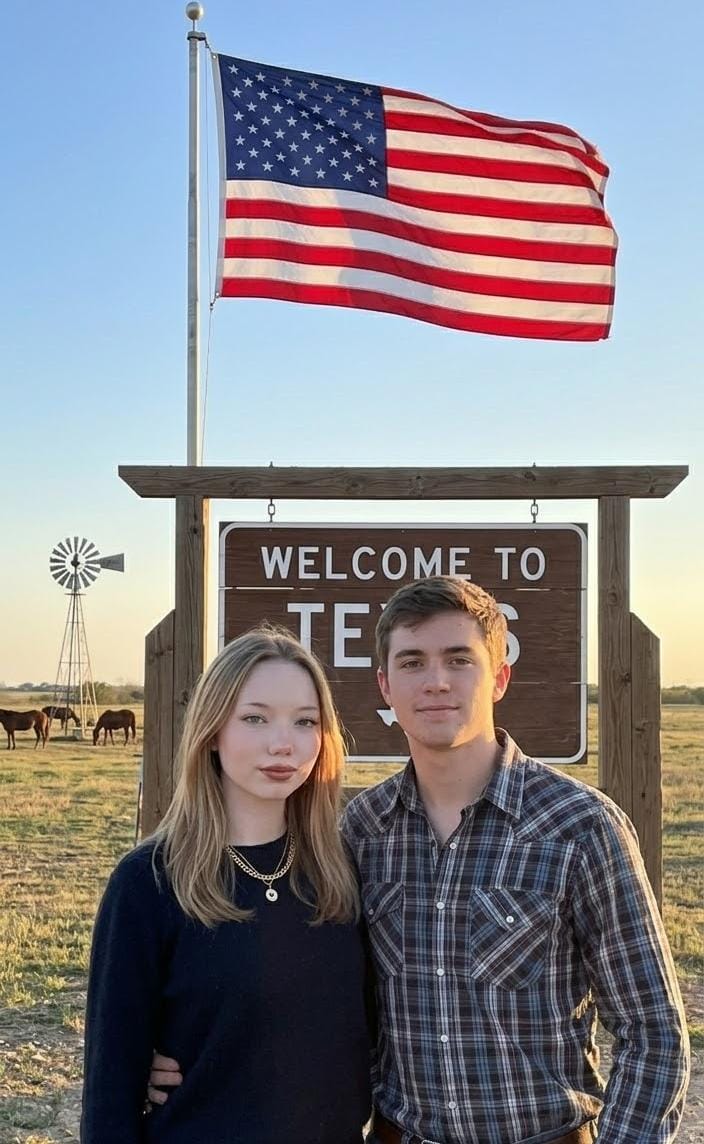
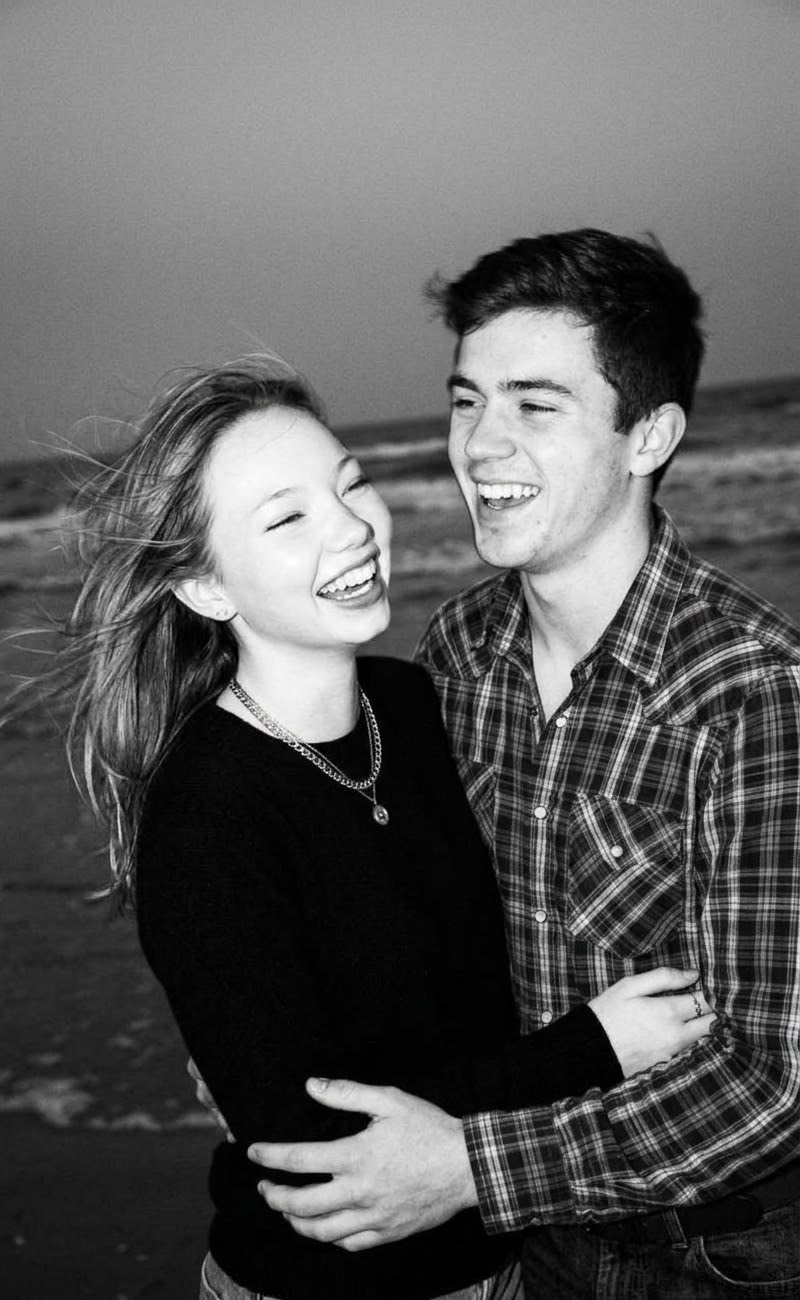
Standard portrait photos often feel stiff, overly posed, and detached from genuine emotion. Recreating the effortless, high-fashion energy of 90s supermodels and authentic candid moments requires precise control over lighting, camera angles, and grain structure.
This engineered prompt guides AI image-to-image or generation tools to turn a standard couple portrait into a timeless, raw, cinematic black-and-white shot complete with direct flash, motion blur, and a sophisticated old-money vibe.
The prompt
Black and white flash photography, candid couple laughing on the beach, windswept hair, motion blur, dutch angle, nostalgic film aesthetic, effortless cool, old money vibe, 90s supermodel energy, cinematic and unposed moment.
What to replace
| Variable | What to put there |
|---|---|
Subject Context | Your input photo showing the subjects whose features and facial structure you want preserved. |
Tool Setting | Set your AI image generator to Image-to-Image mode with a lower denoising strength (around 0.35 - 0.50) to keep the original faces intact. |
How to use it
- Upload your original source photo (such as a standard posed snapshot) into your AI tool of choice (e.g., Midjourney v6 image prompt or ChatGPT/DALL-E / Flux image-to-image workflow).
- Paste the exact prompt provided above into the prompt box.
- If using an image-to-image tool, adjust the creativity/denoising slider so the AI retains the original people's faces while completely overhauling the background, lighting, and mood.
- Generate a batch of 4 variations and select the one with the most natural, unforced laugh and balanced flash contrast.
- Download your final high-resolution image and use subtle sharpening if needed for print or social media sharing.
Worked example
This example was written for this page to show the format. Results from your own model and your own material will differ, so run the prompt yourself before relying on it.
Input
Original Input: A standard outdoor daylight photo of a couple standing stiffly in front of a landmark sign.
Output
Transformed Output: A raw, high-contrast black-and-white candid shot by the water. The subjects appear relaxed, mid-laughter with windswept hair, dramatic direct flash lighting, and authentic 90s film grain texture.
Variations
| Situation | What to change |
|---|---|
| Softer studio look | Replace "flash photography" with "soft diffused studio lighting" and remove "windswept hair" if shooting indoors. |
| Color vintage look | Change "Black and white" to "Faded 90s Polaroid color grading, warm golden hour tones, subtle light leaks". |
| Urban city backdrop | Change "on the beach" to "walking down a busy downtown city street at night with motion blur background". |
| High-fashion editorial | Add "paparazzi style, direct harsh flash, glossy magazine cover aesthetic" for an even more dramatic edge. |
Common mistakes
- Setting denoising too high in image-to-image. If you push transformation strength too high, the AI will completely erase the original people's faces and generate strangers.
- Ignoring lighting direction. The magic of this look relies on direct flash contrast. Do not remove flash keywords or the image will look flat.
- Over-smoothing skin. Avoid adding words like "smooth skin" or "flawless". 90s film aesthetics thrive on raw texture, grain, and minor imperfections.
- Forgetting aspect ratio parameters. Match your output aspect ratio to your source image dimensions to prevent unwanted stretching or cropping.
Frequently asked questions
Which AI tools work best for this transformation?
Tools that support Image-to-Image workflows (like Midjourney v6 using image prompts, Stable Diffusion, or specialized workflow apps) yield the most faithful facial preservation.
How do I keep the exact faces from the original photo?
Use an image-to-image feature with a controlled weight parameter or face-swap tool post-generation to ensure 100% likeness.
Can this be done with solo portraits instead of couples?
Yes! Simply modify "candid couple laughing" to "candid person laughing" to apply the same 90s aesthetic to individual shots.